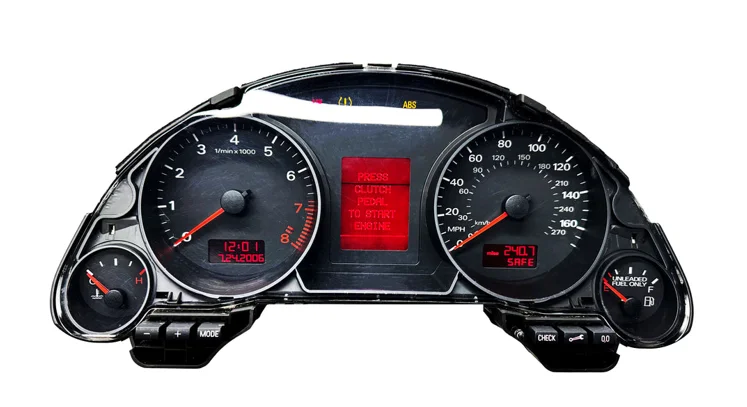
VAG IMMO3 2002-2012 AKL
VW IMMO3 All Keys Lost (AKL) - Complete Step-by-Step Guide
⚠️ CRITICAL SAFETY WARNINGS
READ BEFORE STARTING:
STABLE POWER REQUIRED: Connect a 12V battery maintainer (13.5-14.2V) throughout the procedure. Low voltage during programming can corrupt the immobilizer.
NEVER INTERRUPT POWER: Any power loss during programming may permanently damage the ECU/immobilizer.
BACKUP FIRST: Always read and save EEPROM data before any modifications. This is your only recovery option.
VERIFY IMMO TYPE: Confirm you have IMMO3 before starting. IMMO4/5 requires different procedures.
Pre-Procedure Verification
Step 1: Identify IMMO3 System
Connect diagnostic tool to OBD port and verify:
IMMO3 Identifiers:
Years: 2000-2006 (some models through 2008)
Common vehicles: Golf Mk4/5, Passat B5/B6, Polo 9N, Jetta, Bora, Touran
Cluster types: Magneti Marelli, VDO, Bosch
EEPROM chip: Usually 95040, 95080, or 93C86
Login code: 7-digit SKC (Secret Key Code) required
How to check:
Use diagnostic tool to read instrument cluster
Look for "Immo-III" or "Immobilizer 3" in system info
Check manufacture date on cluster label
Step 2: Required Equipment
Essential Items:
✅ Programming tool (VVDI2, XHORSE, Autel IM608, Lonsdor K518, or OBSTAR)
✅ 12V battery maintainer (minimum 3A)
✅ OBD-II cable
✅ Laptop/tablet for tool operation
✅ Multimeter to verify voltage
✅ Blank VW key (HU66 profile, ID48 transponder chip)
For Bench Method (Alternative):
✅ EEPROM programmer (VVDI Prog, TL866, etc.)
✅ Cluster removal tools
✅ IC chip extractor or hot air station
✅ Anti-static mat and wrist strap
Step 3: Document Vehicle Information
Record BEFORE starting:
✅ VIN number
✅ Current mileage
✅ Cluster part number
✅ Immo box part number (if separate)
✅ Key profile type (HU66, HU49, etc.)
✅ Take photos of cluster and vehicle condition
METHOD 1: OBD PROGRAMMING (Fastest Method)
⏱️ Time Required: 30-60 minutes
Success Rate: 85-95% when SKC is available
Difficulty: Beginner-friendly
General OBD Procedure (All Tools)
Step 1: Setup and Connection (5 minutes)
Ensure battery is fully charged (12.5V minimum)
Connect battery maintainer - verify 13.5V+ output
Turn ignition OFF
Connect tool to OBD port
Power on programming device
Verify stable connection
Step 2: Read Current Immobilizer Data (5 minutes)
Access VW/Audi function in tool
Select "IMMO" or "Immobilizer" menu
Choose "Read Immobilizer Data" or "IMMO Ident"
Tool displays:
Immobilizer type (confirm IMMO3)
VIN number
Current mileage
Number of programmed keys
Component protection status
Step 3: Create Backup (3 minutes)
CRITICAL - DO NOT SKIP:
Select "Backup Data" or "Read EEPROM"
Save file with descriptive name: VIN_IMMO3_DATE.bin
Wait for "Backup Successful" confirmation
Verify file exists before proceeding
Step 4: Obtain Login Code (SKC) (Variable time)
SKC is MANDATORY for IMMO3 programming
Options to obtain SKC:
Option A: Use tool's SKC reading function (if supported)
Option B: Calculate from EEPROM dump (most tools can do this)
Option C: Online SKC service with VIN/EEPROM data
Option D: Manual calculation from cluster EEPROM
Step 5: Perform All Keys Lost Procedure (10-15 minutes)
Select "All Keys Lost" or "AKL" function
Enter the 7-digit SKC when prompted
Tool unlocks immobilizer system
Select "Program Dealer Key" or "Add New Key"
Choose key position (usually Position 1 for first key)
Insert blank key in ignition OR place near steering column
Follow on-screen prompts
Wait for programming to complete (2-5 minutes)
Success message appears
Step 6: Test Key Functions (5 minutes)
Test in this order:
Turn ignition ON - dashboard should illuminate normally
Attempt engine start - should crank and start
Let engine run 30 seconds
Turn off engine
Remove key and test remote (if equipped)
Lock/unlock doors with remote
Verify no immobilizer warning light
success">✅ OBD Method Complete
TOOL-SPECIFIC PROCEDURES
Using VVDI2
Step-by-Step VVDI2 OBD Method:
Connect and Access Menu
Connect VVDI2 to OBD port
Launch VVDI2 software on laptop
Select "VW" from main menu
Choose "4th Immobilizer System" (IMMO3)
Read Immobilizer
Click "Dealer Key Add"
Select "Read Immobilizer Data"
Software displays current key count and IMMO status
Click "Save Data" to create backup
Obtain/Enter SKC
If SKC unknown: Click "Calculate PIN" or "Get PIN"
Software may calculate from EEPROM data
Or manually enter 7-digit SKC if known
Click "Login with SKC"
Program Key
After successful login, click "Program Dealer Key"
Insert blank ID48 key in ignition
Turn ignition to ON position
Click "Start Programming"
Progress bar appears (2-4 minutes)
"Key Programming Success" message displays
Verify Programming
Click "Read Key Data" to confirm
Test engine start with new key
All functions should work immediately
VVDI2 Bench Method (If OBD Fails):
Remove instrument cluster from vehicle
Open cluster and locate EEPROM chip (usually 95040)
Connect cluster to VVDI Prog using VW cluster adapter
Read EEPROM and save backup
Use VVDI2 software to calculate SKC from EEPROM dump
Write modified EEPROM with new key data
Reinstall cluster and test
Using XHORSE Key Tool Plus
XHORSE OBD Method:
Initial Connection
Connect Key Tool Plus to OBD
Tap "IMMO Programming" on main screen
Select "Europe" → "VW/Audi"
Tap "Auto Detect" (waits 30-60 seconds)
System identifies IMMO3
Read and Backup
Select "Read Immobilizer Info"
System displays VIN, mileage, key count
Tap "Backup Data" - save to device
Confirm backup successful
All Keys Lost Function
Tap "All Keys Lost"
System prompts for SKC
If unknown: Use "Calculate SKC" function
XHorse reads EEPROM via OBD
Automatically calculates 7-digit SKC
Enter SKC when prompted
Key Programming
Tap "Program Dealer Key"
Insert blank key in ignition
Turn ignition ON
Tap "Start Programming"
Wait for progress bar (3-5 minutes)
"Programming Success" appears
Smart Key Preparation (If Applicable)
For smart/remote keys: Insert key blade in XHorse slot
XHorse programs transponder chip
Then generates remote ID
All-in-one programming for smart keys
XHORSE Mini Key Tool Method:
Similar procedure but uses wireless connection
Place key on Mini Key Tool coil during programming
Automatically syncs remote functions
Using Autel IM608/IM508
Autel OBD Method:
Connect and Identify
Connect IM608 to OBD port
Tap "IMMO" on main screen
Select "VW/Audi/Seat/Skoda"
Choose "Auto Detect" or manually select model
Confirm IMMO3 system detected
Read Immobilizer
Select "Immobilizer Service"
Tap "Read Immobilizer Info"
IM608 displays current configuration
Automatic backup created
SKC Handling
Tap "Get PIN Code"
IM608 reads EEPROM via OBD (on supported models)
Calculates SKC automatically
Or manually enter SKC if known
All Keys Lost Programming
Select "All Keys Lost"
Enter SKC when prompted
Choose "Add Dealer Key"
Insert blank key OR place on XP400 programmer
If using XP400: Connect key to key slot
Tap "Start Programming"
Wait 2-5 minutes
Success confirmation appears
Remote Programming (With XP400)
If key has remote: XP400 programs remote automatically
Tests remote frequency (433MHz or 315MHz)
Generates remote ID matching vehicle
No additional synchronization needed
Autel MaxiIM Programmer Method:
For vehicles where OBD won't work
Remove cluster and connect to XP400
Bench programming similar to VVDI2
Using Lonsdor K518/K518S
K518 OBD Procedure:
Initial Setup
Connect K518 to OBD port
Tap "Immobilizer" on main screen
Select "VW/Audi"
Choose "IMMO3"
Read System Data
Tap "Read Immobilizer Data"
K518 displays vehicle info and key status
Tap "Save Backup" - stores to device memory
Confirm backup saved
PIN Code (SKC) Acquisition
Tap "Read PIN Code"
K518 attempts to read SKC via OBD
Success rate varies by model/year
If fails: Use "Calculate PIN from Dump"
Read EEPROM dump first
K518 calculates SKC from dump
All Keys Lost Function
Return to IMMO3 menu
Select "All Keys Lost"
Enter 7-digit SKC
Tap "Generate Dealer Key"
Key Programming
Insert blank key chip in K518 card slot (right side)
Push slot shell right to lock key in place
K518 automatically detects chip type (ID48)
Programming begins automatically
Progress bar displays (1-3 minutes)
"Key Programming Success" message
Remove programmed key
Synchronize to Vehicle
Insert programmed key in vehicle ignition
Turn ignition ON (don't start)
Wait 5 seconds
Turn ignition OFF
Start engine - should start immediately
K518 Bench Method:
For difficult cases or when OBD fails
Read cluster EEPROM with separate programmer
Import dump file to K518
Generate key from dump offline
Write modified dump back to cluster
Using OBSTAR X300 DP Plus/G3
OBSTAR OBD Method:
Connection and Detection
Connect OBSTAR to OBD
Tap "Immobilizer" function
Select "VW Group"
Choose "Auto Detect Vehicle"
System identifies IMMO3
Read Immobilizer Data
Tap "Read IMMO Info"
Displays key positions and status
Select "Backup EEPROM"
Save backup file to tablet
PIN Code Reading
Tap "Read PIN Code"
OBSTAR reads via OBD (when supported)
Or use "Calculate PIN" from EEPROM
Manually enter if obtained elsewhere
AKL Programming
Select "All Key Lost"
Enter SKC when prompted
Choose "Program New Key"
Insert blank key in ignition (turn ON)
Tap "Start"
Wait for completion (3-5 minutes)
Success message displays
Test Key
Attempt engine start
Should start immediately
Test all key functions
OBSTAR Key Programmer Integration:
Can program key chip separately if needed
Place key on OBSTAR key programmer device
Programs ID48 chip
Then sync to vehicle via OBD
METHOD 2: BENCH PROGRAMMING (When OBD Fails)
⏱️ Time Required: 1.5-3 hours
Success Rate: 98%+
Difficulty: Intermediate
General Bench Procedure
Phase 1: Cluster Removal (30-45 minutes)
Prepare Vehicle
Disconnect battery negative terminal
Wait 5 minutes for system shutdown
Remove steering column covers
Remove cluster trim panel
Extract Instrument Cluster
Remove cluster mounting screws (usually 2-4)
Carefully pull cluster forward
Disconnect electrical connectors
Note connector positions (take photos)
Place cluster on anti-static mat
Phase 2: EEPROM Reading (20-30 minutes)
Open Cluster
Remove rear circuit board cover (usually snap clips)
Locate EEPROM chip (common types):
95040 (most common)
95080 (some VDO clusters)
93C86 (older models)
Chip usually near microprocessor
Read EEPROM
In-circuit method (preferred):
Use EEPROM programmer with IC clip
Connect clip to chip pins
Read without removing chip
Chip removal method:
Use hot air station (350°C) or chip extractor
Carefully lift chip
Place in programmer socket
Read EEPROM data
Save EEPROM Dump
Save as .BIN file: VIN_CLUSTER_EEPROM.bin
Verify file size matches chip (512 bytes for 95040)
Create multiple backup copies
Phase 3: Data Modification (10-15 minutes)
Calculate SKC
Open EEPROM dump in your tool's software
Use "Calculate PIN/SKC" function
Software extracts 7-digit SKC from dump
Write down SKC for records
Modify EEPROM for New Key
Use tool software to modify dump:
Clear old key data
Add new key ID
Recalculate checksums
Save modified dump as new file
Phase 4: EEPROM Writing (15-20 minutes)
Write Modified Data
If chip removed: Place in programmer and write
If in-circuit: Write via IC clip
Verify write successful
Read back and compare to verify
Program Key Transponder
Use tool's key programmer to write ID48 chip
Copy key ID from modified EEPROM
Program transponder chip with matching ID
Phase 5: Reinstallation (30-45 minutes)
Reassemble Cluster
If chip removed: Solder chip back to board
Reinstall rear circuit board cover
Verify cluster looks correct
Install Cluster in Vehicle
Reconnect all electrical connectors
Push cluster into position
Install mounting screws
Reinstall trim panels
Reconnect Battery
Connect battery negative terminal
Turn ignition ON (don't start)
Check for warning lights
Test Key
Insert programmed key
Turn ignition ON
Attempt engine start
Should start immediately
Verify no immobilizer warning
success">✅ Bench Method Complete
TROUBLESHOOTING COMMON ISSUES
Problem 1: Cannot Read Immobilizer via OBD
Solutions:
Check battery voltage (must be 12.5V+)
Connect battery maintainer
Try pressing brake pedal 3 times (wakes modules)
Verify OBD cable connections
Try different tool if available
Fall back to bench method
Problem 2: SKC Calculation Fails
Solutions:
Verify EEPROM dump is complete (not all FF or 00)
Try different calculation software
Use online SKC service with dump file
Check if Component Protection is active (blocks some SKC methods)
Some 2006+ models require dealer-level access for SKC
Problem 3: Key Programs but Engine Won't Start
Most Common Causes:
Wrong SKC entered - Verify SKC accuracy
Wrong transponder chip - Must be ID48 for IMMO3
Key not synchronized - Turn ignition ON/OFF 3 times before starting
Adaptation required - Some models need adaptation after programming
Solutions:
Delete programmed key
Verify SKC is correct
Reprogram key with verified SKC
Perform adaptation procedure with diagnostic tool
Problem 4: Remote Functions Don't Work
IMMO3 Note: Remote and immobilizer are separate systems
Solutions:
Use tool's "Remote Programming" function separately
Most tools have dedicated remote learning procedure
May require separate remote adaptation
Some older models don't have remote integration
Problem 5: Immobilizer Light Stays On
Diagnosis:
Read fault codes with diagnostic tool
Check for "No Communication with Immobilizer"
Verify cluster connections secure
Check for damaged wiring
Recovery:
Clear adaptation channels
Perform immobilizer reset procedure
May need to reprogram from scratch
Restore from backup if available
Problem 6: Power Loss During Programming
If this happens:
Restore power immediately
DO NOT disconnect tool
Tool may auto-recover
If frozen: Restore from backup
Worst case: Cluster may need professional repair ($150-400)
IMPORTANT NOTES
Key Compatibility
VW IMMO3 accepts only:
ID48 transponder chips (required)
ID48 CAN chips (newer vehicles)
❌ NOT compatible with ID46/ID47
Component Protection
Some vehicles have "Component Protection" active:
Blocks PIN code reading
Prevents some OBD programming
Requires dealer-level tools or bench method
Common on 2006+ vehicles
Adaptation Requirements
After programming, some vehicles need:
Steering lock adaptation
Key convenience adaptation
Remote central locking adaptation
Use diagnostic tool to perform adaptations
SKC vs PIN Code
Different terms, same thing:
SKC = Secret Key Code (VW terminology)
PIN Code = Personal Identification Number
Both refer to the 7-digit immobilizer code
Required for IMMO3 programming
QUICK REFERENCE - SUCCESS TIPS
success">✅ Always create backup before starting
success">✅ Verify stable 13.5V+ power supply
success">✅ Confirm IMMO3 system before proceeding
success">✅ Use correct ID48 transponder chip
success">✅ Double-check SKC accuracy before programming
success">✅ Test all functions before returning vehicle
success">✅ Keep backup files for future reference
warning">⚠️ Never interrupt power during programming
warning">⚠️ Never guess SKC - verify before use
warning">⚠️ Don't force key into ignition during programming
Total Time Estimates:
OBD Method: 30-60 minutes
Bench Method: 1.5-3 hours
First-time users: Add 30-60 minutes for learning
Success Rate by Method:
OBD with SKC: 85-95%
Bench programming: 98%+
Without proper SKC: 0%
This guide covers the most common scenarios. Some edge cases may require specialized procedures or dealer-level tools.