American Drive TechCall now
← Back to Audi results

Audi · 2004 – 2011

A6 C6

Vehicle identification reference. Always confirm the actual module and market specification.

Reference details

Year range
2004 – 2011
Platform
C6 (MLB, shared with A8 D3 facelift, Q7 Mk1, VW Phaeton facelift)
Immobilizer
Immo4 — cluster + KESSY/BCM2-style (varies by trim, ~2004–2011)
Transponder
ID46 PCF7946 (early flip keys, 2004–2006) ID8E/ID48 Megamos (later facelift smart key + proximity, ≈2006–2011)
Key blade
HU66 (all versions, emergency blade on smart key)
Frequency / market
433 MHz (EU) 315 MHz (NA & exports)
Chip type
PCF7946 (remote integrated chip) OR Megamos Crypto (check remote/year)
Solder-free adapter
✅ Xhorse BCM2 solder‑free set (supports 0641/0650/0711)

Reviewed reference. Confirm the actual module and market before working. Parts and specifications may vary within the same model year.

Keys & chip variants

ID46 (NXP Hitag-2)

Type
Bladed/Flip Remote
Chip part number
NXP PCF7946
Manufacturer
NXP (formerly Philips)
Protocol
NXP Hitag-2 (Crypto1 / Crypto2 modes)
Integration
Integrated on key PCB
Cloneable
Partial — Crypto1 mode sniffable; Crypto2 mode harder but doable via established tool platforms
Clone blank
JMA TPX2 / Xhorse Super Chip XT27A66
Notes
Premium Kessy-era VAG keyless system (~2004–2011); Crypto2 mode on most Audi/VAG keys

ID8E (Sokymat Crypto 8E)

Type
Bladed/Flip Remote
Chip part number
Silca SC9, JMA TP19
Manufacturer
Sokymat (Assa Abloy)
Protocol
Sokymat Crypto (Audi-specific, precoded dealer key)
Integration
Integrated on key PCB
Cloneable
No — precoded dealer key, generate only
Clone blank
N/A — generate ID8E blank (Xhorse XT27A-8E) or OEM
Notes
Audi-specific chip; later A6 C6 / A8 D3 trims — fundamentally different from VAG Megamos line

Locate the controller

Where the master module sits

KESSY module or immobox depending on trim; cluster & ECU sync CS on later builds

Visual reference

Module & location photos

Open a photo for the full-size reference. Module position and hardware may differ by market or specification.

On the job

Programming routes & tool support

Add key

✅ OBD (unlocked BCM2) or OBD+BCM2 read • Moderate • ~20–60 min

✅ AVDI (Abrites), VVDI2, VVDI Key Tool Plus – OBD possible with working key

✅ Autel IM608 – Supported OBD, stable on BCM2

⚠️ IM508 – requires XP400 Pro, slower/less stable

⚠️ OBDStar, Xtool, Smart Pro, Launch – partial support, BCM2 handling varies

All keys lost

⚠️ BCM2 bench read/unlock (2013+ locked types) • Hard • ~2–5 h

Official: ODIS online (BCM2 immobilizer)

✅ VVDI2 / VVDI KTP – Supported via BCM2 dump (95320/9S12 MCU)

✅ AVDI (Abrites) – Stable BCM2 dump solution, widely used for C6

✅ Autel IM608 – Supported with BCM2 dump (XP400/XP400 Pro)

⚠️ IM508 (XP400 Pro) – Possible with BCM2 dump, less reliable

⚠️ OBDStar, Xtool, Smart Pro, Launch – partial coverage, success rate inconsistent

Bench & EEPROM

Required for AKL

BCM2 EEPROM (95320) or MCU (9S12) must be read

Supported: VVDI2/KTP, AVDI, Autel IM608 (+XP400/XP400 Pro)

Partial: IM508, OBDStar, Xtool, Smart Pro, Launch

Professional reference

Step-by-step walkthroughs

VAG IMMO3 2002-2012 AKL

VAG IMMO3 2002-2012 AKL

VW IMMO3 All Keys Lost (AKL) - Complete Step-by-Step Guide

⚠️ CRITICAL SAFETY WARNINGS

READ BEFORE STARTING:

STABLE POWER REQUIRED: Connect a 12V battery maintainer (13.5-14.2V) throughout the procedure. Low voltage during programming can corrupt the immobilizer.

NEVER INTERRUPT POWER: Any power loss during programming may permanently damage the ECU/immobilizer.

BACKUP FIRST: Always read and save EEPROM data before any modifications. This is your only recovery option.

VERIFY IMMO TYPE: Confirm you have IMMO3 before starting. IMMO4/5 requires different procedures.

Pre-Procedure Verification

Step 1: Identify IMMO3 System

Connect diagnostic tool to OBD port and verify:

IMMO3 Identifiers:

Years: 2000-2006 (some models through 2008)

Common vehicles: Golf Mk4/5, Passat B5/B6, Polo 9N, Jetta, Bora, Touran

Cluster types: Magneti Marelli, VDO, Bosch

EEPROM chip: Usually 95040, 95080, or 93C86

Login code: 7-digit SKC (Secret Key Code) required

How to check:

Use diagnostic tool to read instrument cluster

Look for "Immo-III" or "Immobilizer 3" in system info

Check manufacture date on cluster label

Step 2: Required Equipment

Essential Items:

✅ Programming tool (VVDI2, XHORSE, Autel IM608, Lonsdor K518, or OBSTAR)

✅ 12V battery maintainer (minimum 3A)

✅ OBD-II cable

✅ Laptop/tablet for tool operation

✅ Multimeter to verify voltage

✅ Blank VW key (HU66 profile, ID48 transponder chip)

For Bench Method (Alternative):

✅ EEPROM programmer (VVDI Prog, TL866, etc.)

✅ Cluster removal tools

✅ IC chip extractor or hot air station

✅ Anti-static mat and wrist strap

Step 3: Document Vehicle Information

Record BEFORE starting:

✅ VIN number

✅ Current mileage

✅ Cluster part number

✅ Immo box part number (if separate)

✅ Key profile type (HU66, HU49, etc.)

✅ Take photos of cluster and vehicle condition

METHOD 1: OBD PROGRAMMING (Fastest Method)

⏱️ Time Required: 30-60 minutes

Success Rate: 85-95% when SKC is available

Difficulty: Beginner-friendly

General OBD Procedure (All Tools)

Step 1: Setup and Connection (5 minutes)

Ensure battery is fully charged (12.5V minimum)

Connect battery maintainer - verify 13.5V+ output

Turn ignition OFF

Connect tool to OBD port

Power on programming device

Verify stable connection

Step 2: Read Current Immobilizer Data (5 minutes)

Access VW/Audi function in tool

Select "IMMO" or "Immobilizer" menu

Choose "Read Immobilizer Data" or "IMMO Ident"

Tool displays:

Immobilizer type (confirm IMMO3)

VIN number

Current mileage

Number of programmed keys

Component protection status

Step 3: Create Backup (3 minutes)

CRITICAL - DO NOT SKIP:

Select "Backup Data" or "Read EEPROM"

Save file with descriptive name: VIN_IMMO3_DATE.bin

Wait for "Backup Successful" confirmation

Verify file exists before proceeding

Step 4: Obtain Login Code (SKC) (Variable time)

SKC is MANDATORY for IMMO3 programming

Options to obtain SKC:

Option A: Use tool's SKC reading function (if supported)

Option B: Calculate from EEPROM dump (most tools can do this)

Option C: Online SKC service with VIN/EEPROM data

Option D: Manual calculation from cluster EEPROM

Step 5: Perform All Keys Lost Procedure (10-15 minutes)

Select "All Keys Lost" or "AKL" function

Enter the 7-digit SKC when prompted

Tool unlocks immobilizer system

Select "Program Dealer Key" or "Add New Key"

Choose key position (usually Position 1 for first key)

Insert blank key in ignition OR place near steering column

Follow on-screen prompts

Wait for programming to complete (2-5 minutes)

Success message appears

Step 6: Test Key Functions (5 minutes)

Test in this order:

Turn ignition ON - dashboard should illuminate normally

Attempt engine start - should crank and start

Let engine run 30 seconds

Turn off engine

Remove key and test remote (if equipped)

Lock/unlock doors with remote

Verify no immobilizer warning light

success">✅ OBD Method Complete

TOOL-SPECIFIC PROCEDURES

Using VVDI2

Step-by-Step VVDI2 OBD Method:

Connect and Access Menu

Connect VVDI2 to OBD port

Launch VVDI2 software on laptop

Select "VW" from main menu

Choose "4th Immobilizer System" (IMMO3)

Read Immobilizer

Click "Dealer Key Add"

Select "Read Immobilizer Data"

Software displays current key count and IMMO status

Click "Save Data" to create backup

Obtain/Enter SKC

If SKC unknown: Click "Calculate PIN" or "Get PIN"

Software may calculate from EEPROM data

Or manually enter 7-digit SKC if known

Click "Login with SKC"

Program Key

After successful login, click "Program Dealer Key"

Insert blank ID48 key in ignition

Turn ignition to ON position

Click "Start Programming"

Progress bar appears (2-4 minutes)

"Key Programming Success" message displays

Verify Programming

Click "Read Key Data" to confirm

Test engine start with new key

All functions should work immediately

VVDI2 Bench Method (If OBD Fails):

Remove instrument cluster from vehicle

Open cluster and locate EEPROM chip (usually 95040)

Connect cluster to VVDI Prog using VW cluster adapter

Read EEPROM and save backup

Use VVDI2 software to calculate SKC from EEPROM dump

Write modified EEPROM with new key data

Reinstall cluster and test

Using XHORSE Key Tool Plus

XHORSE OBD Method:

Initial Connection

Connect Key Tool Plus to OBD

Tap "IMMO Programming" on main screen

Select "Europe" → "VW/Audi"

Tap "Auto Detect" (waits 30-60 seconds)

System identifies IMMO3

Read and Backup

Select "Read Immobilizer Info"

System displays VIN, mileage, key count

Tap "Backup Data" - save to device

Confirm backup successful

All Keys Lost Function

Tap "All Keys Lost"

System prompts for SKC

If unknown: Use "Calculate SKC" function

XHorse reads EEPROM via OBD

Automatically calculates 7-digit SKC

Enter SKC when prompted

Key Programming

Tap "Program Dealer Key"

Insert blank key in ignition

Turn ignition ON

Tap "Start Programming"

Wait for progress bar (3-5 minutes)

"Programming Success" appears

Smart Key Preparation (If Applicable)

For smart/remote keys: Insert key blade in XHorse slot

XHorse programs transponder chip

Then generates remote ID

All-in-one programming for smart keys

XHORSE Mini Key Tool Method:

Similar procedure but uses wireless connection

Place key on Mini Key Tool coil during programming

Automatically syncs remote functions

Using Autel IM608/IM508

Autel OBD Method:

Connect and Identify

Connect IM608 to OBD port

Tap "IMMO" on main screen

Select "VW/Audi/Seat/Skoda"

Choose "Auto Detect" or manually select model

Confirm IMMO3 system detected

Read Immobilizer

Select "Immobilizer Service"

Tap "Read Immobilizer Info"

IM608 displays current configuration

Automatic backup created

SKC Handling

Tap "Get PIN Code"

IM608 reads EEPROM via OBD (on supported models)

Calculates SKC automatically

Or manually enter SKC if known

All Keys Lost Programming

Select "All Keys Lost"

Enter SKC when prompted

Choose "Add Dealer Key"

Insert blank key OR place on XP400 programmer

If using XP400: Connect key to key slot

Tap "Start Programming"

Wait 2-5 minutes

Success confirmation appears

Remote Programming (With XP400)

If key has remote: XP400 programs remote automatically

Tests remote frequency (433MHz or 315MHz)

Generates remote ID matching vehicle

No additional synchronization needed

Autel MaxiIM Programmer Method:

For vehicles where OBD won't work

Remove cluster and connect to XP400

Bench programming similar to VVDI2

Using Lonsdor K518/K518S

K518 OBD Procedure:

Initial Setup

Connect K518 to OBD port

Tap "Immobilizer" on main screen

Select "VW/Audi"

Choose "IMMO3"

Read System Data

Tap "Read Immobilizer Data"

K518 displays vehicle info and key status

Tap "Save Backup" - stores to device memory

Confirm backup saved

PIN Code (SKC) Acquisition

Tap "Read PIN Code"

K518 attempts to read SKC via OBD

Success rate varies by model/year

If fails: Use "Calculate PIN from Dump"

Read EEPROM dump first

K518 calculates SKC from dump

All Keys Lost Function

Return to IMMO3 menu

Select "All Keys Lost"

Enter 7-digit SKC

Tap "Generate Dealer Key"

Key Programming

Insert blank key chip in K518 card slot (right side)

Push slot shell right to lock key in place

K518 automatically detects chip type (ID48)

Programming begins automatically

Progress bar displays (1-3 minutes)

"Key Programming Success" message

Remove programmed key

Synchronize to Vehicle

Insert programmed key in vehicle ignition

Turn ignition ON (don't start)

Wait 5 seconds

Turn ignition OFF

Start engine - should start immediately

K518 Bench Method:

For difficult cases or when OBD fails

Read cluster EEPROM with separate programmer

Import dump file to K518

Generate key from dump offline

Write modified dump back to cluster

Using OBSTAR X300 DP Plus/G3

OBSTAR OBD Method:

Connection and Detection

Connect OBSTAR to OBD

Tap "Immobilizer" function

Select "VW Group"

Choose "Auto Detect Vehicle"

System identifies IMMO3

Read Immobilizer Data

Tap "Read IMMO Info"

Displays key positions and status

Select "Backup EEPROM"

Save backup file to tablet

PIN Code Reading

Tap "Read PIN Code"

OBSTAR reads via OBD (when supported)

Or use "Calculate PIN" from EEPROM

Manually enter if obtained elsewhere

AKL Programming

Select "All Key Lost"

Enter SKC when prompted

Choose "Program New Key"

Insert blank key in ignition (turn ON)

Tap "Start"

Wait for completion (3-5 minutes)

Success message displays

Test Key

Attempt engine start

Should start immediately

Test all key functions

OBSTAR Key Programmer Integration:

Can program key chip separately if needed

Place key on OBSTAR key programmer device

Programs ID48 chip

Then sync to vehicle via OBD

METHOD 2: BENCH PROGRAMMING (When OBD Fails)

⏱️ Time Required: 1.5-3 hours

Success Rate: 98%+

Difficulty: Intermediate

General Bench Procedure

Phase 1: Cluster Removal (30-45 minutes)

Prepare Vehicle

Disconnect battery negative terminal

Wait 5 minutes for system shutdown

Remove steering column covers

Remove cluster trim panel

Extract Instrument Cluster

Remove cluster mounting screws (usually 2-4)

Carefully pull cluster forward

Disconnect electrical connectors

Note connector positions (take photos)

Place cluster on anti-static mat

Phase 2: EEPROM Reading (20-30 minutes)

Open Cluster

Remove rear circuit board cover (usually snap clips)

Locate EEPROM chip (common types):

95040 (most common)

95080 (some VDO clusters)

93C86 (older models)

Chip usually near microprocessor

Read EEPROM

In-circuit method (preferred):

Use EEPROM programmer with IC clip

Connect clip to chip pins

Read without removing chip

Chip removal method:

Use hot air station (350°C) or chip extractor

Carefully lift chip

Place in programmer socket

Read EEPROM data

Save EEPROM Dump

Save as .BIN file: VIN_CLUSTER_EEPROM.bin

Verify file size matches chip (512 bytes for 95040)

Create multiple backup copies

Phase 3: Data Modification (10-15 minutes)

Calculate SKC

Open EEPROM dump in your tool's software

Use "Calculate PIN/SKC" function

Software extracts 7-digit SKC from dump

Write down SKC for records

Modify EEPROM for New Key

Use tool software to modify dump:

Clear old key data

Add new key ID

Recalculate checksums

Save modified dump as new file

Phase 4: EEPROM Writing (15-20 minutes)

Write Modified Data

If chip removed: Place in programmer and write

If in-circuit: Write via IC clip

Verify write successful

Read back and compare to verify

Program Key Transponder

Use tool's key programmer to write ID48 chip

Copy key ID from modified EEPROM

Program transponder chip with matching ID

Phase 5: Reinstallation (30-45 minutes)

Reassemble Cluster

If chip removed: Solder chip back to board

Reinstall rear circuit board cover

Verify cluster looks correct

Install Cluster in Vehicle

Reconnect all electrical connectors

Push cluster into position

Install mounting screws

Reinstall trim panels

Reconnect Battery

Connect battery negative terminal

Turn ignition ON (don't start)

Check for warning lights

Test Key

Insert programmed key

Turn ignition ON

Attempt engine start

Should start immediately

Verify no immobilizer warning

success">✅ Bench Method Complete

TROUBLESHOOTING COMMON ISSUES

Problem 1: Cannot Read Immobilizer via OBD

Solutions:

Check battery voltage (must be 12.5V+)

Connect battery maintainer

Try pressing brake pedal 3 times (wakes modules)

Verify OBD cable connections

Try different tool if available

Fall back to bench method

Problem 2: SKC Calculation Fails

Solutions:

Verify EEPROM dump is complete (not all FF or 00)

Try different calculation software

Use online SKC service with dump file

Check if Component Protection is active (blocks some SKC methods)

Some 2006+ models require dealer-level access for SKC

Problem 3: Key Programs but Engine Won't Start

Most Common Causes:

Wrong SKC entered - Verify SKC accuracy

Wrong transponder chip - Must be ID48 for IMMO3

Key not synchronized - Turn ignition ON/OFF 3 times before starting

Adaptation required - Some models need adaptation after programming

Solutions:

Delete programmed key

Verify SKC is correct

Reprogram key with verified SKC

Perform adaptation procedure with diagnostic tool

Problem 4: Remote Functions Don't Work

IMMO3 Note: Remote and immobilizer are separate systems

Solutions:

Use tool's "Remote Programming" function separately

Most tools have dedicated remote learning procedure

May require separate remote adaptation

Some older models don't have remote integration

Problem 5: Immobilizer Light Stays On

Diagnosis:

Read fault codes with diagnostic tool

Check for "No Communication with Immobilizer"

Verify cluster connections secure

Check for damaged wiring

Recovery:

Clear adaptation channels

Perform immobilizer reset procedure

May need to reprogram from scratch

Restore from backup if available

Problem 6: Power Loss During Programming

If this happens:

Restore power immediately

DO NOT disconnect tool

Tool may auto-recover

If frozen: Restore from backup

Worst case: Cluster may need professional repair ($150-400)

IMPORTANT NOTES

Key Compatibility

VW IMMO3 accepts only:

ID48 transponder chips (required)

ID48 CAN chips (newer vehicles)

❌ NOT compatible with ID46/ID47

Component Protection

Some vehicles have "Component Protection" active:

Blocks PIN code reading

Prevents some OBD programming

Requires dealer-level tools or bench method

Common on 2006+ vehicles

Adaptation Requirements

After programming, some vehicles need:

Steering lock adaptation

Key convenience adaptation

Remote central locking adaptation

Use diagnostic tool to perform adaptations

SKC vs PIN Code

Different terms, same thing:

SKC = Secret Key Code (VW terminology)

PIN Code = Personal Identification Number

Both refer to the 7-digit immobilizer code

Required for IMMO3 programming

QUICK REFERENCE - SUCCESS TIPS

success">✅ Always create backup before starting

success">✅ Verify stable 13.5V+ power supply

success">✅ Confirm IMMO3 system before proceeding

success">✅ Use correct ID48 transponder chip

success">✅ Double-check SKC accuracy before programming

success">✅ Test all functions before returning vehicle

success">✅ Keep backup files for future reference

warning">⚠️ Never interrupt power during programming

warning">⚠️ Never guess SKC - verify before use

warning">⚠️ Don't force key into ignition during programming

Total Time Estimates:

OBD Method: 30-60 minutes

Bench Method: 1.5-3 hours

First-time users: Add 30-60 minutes for learning

Success Rate by Method:

OBD with SKC: 85-95%

Bench programming: 98%+

Without proper SKC: 0%

This guide covers the most common scenarios. Some edge cases may require specialized procedures or dealer-level tools.

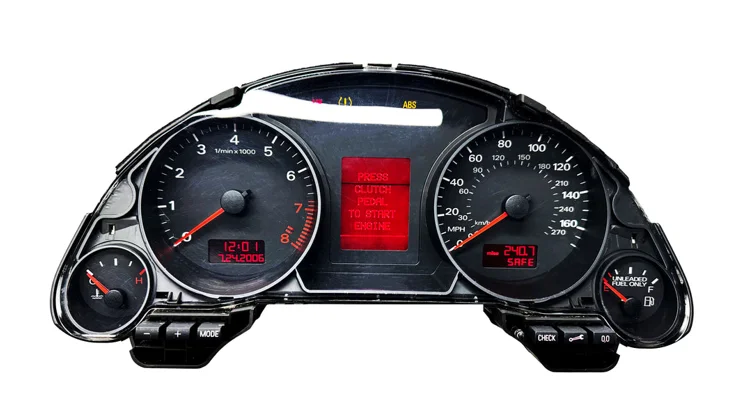
VAG IMMO4 2002-2012 AKL

VAG IMMO4 2002-2012 AKL

General Step-by-Step Guide for Adding a Key to VW Immo4 System

Using Professional Key Programming Tools

This guide covers the add key procedure for VW Immo4 systems using popular diagnostic and key programming tools.

Supported Tools

VVDI2 (Xhorse)

Xhorse Key Tool Plus

Autel IM608/IM608 Pro

Lonsdor K518/K518S

OBDStar X300 DP Plus/Key Master/G3

Xtool X100 Pad series

Prerequisites

What You Need:

At least one working original key (for OBD programming)

New key blank compatible with your VW model

Fully charged vehicle battery (12.5V minimum)

Your chosen programming tool with latest software updates

Vehicle identification information ready

Important Notes:

Immo4 is found in VW/Audi/Seat/Skoda from approximately 2006-2015

Some newer Immo4 vehicles may require dealer-level access

Always backup data before beginning

General Procedure Overview

Step 1: Vehicle Preparation

Park vehicle in a well-ventilated area

Ensure battery is fully charged

Close all doors, hood, and trunk

Turn off all accessories (radio, lights, climate control)

Have all existing keys available

Step 2: Connect Tool to Vehicle

Locate the OBD-II port (usually under dashboard, driver's side)

Plug in your diagnostic tool

Turn ignition to ON position (don't start engine)

Wait for tool to establish connection

Ensure stable connection before proceeding

Step 3: Tool-Specific Navigation

For VVDI2:

Select "Immobilizer Data Tool"

Choose "Volkswagen"

Select "4th Immobilizer System"

Choose "Add Key via OBD"

For Xhorse Key Tool Plus:

Select "Immobilizer Programming"

Choose "Volkswagen/Audi"

Select vehicle year range

Choose "Immo4 Add Key"

For Autel IM608:

Select "Immobilizer"

Choose "VW/Audi/Seat/Skoda"

Select "Immo4"

Choose "Add Smart Key" or "Add Key"

For Lonsdor K518:

Select "Immo"

Choose "VW/Audi/Seat/Skoda"

Select "4th Generation Immobilizer"

Choose "Add Key by OBD"

For OBDStar:

Select "Immobilizer"

Choose "VW/Audi"

Select "Immo4"

Choose "Add Key"

Step 4: Vehicle Identification

Tool will read vehicle information automatically

Verify displayed information matches your vehicle:

VIN number

Model year

Engine type

Immobilizer type (confirm Immo4)

Confirm to proceed

Step 5: Read Immobilizer Data

Tool will communicate with immobilizer system

Wait for data reading (30 seconds to 2 minutes)

Tool will display:

Current number of programmed keys

Immobilizer status

Component information

Save this information as backup (if tool allows)

Step 6: Prepare Original Key

When prompted, insert working original key

Turn ignition to ON position

Tool will read key data

Wait for confirmation (usually 5-15 seconds)

Do not remove key until tool instructs you to

Step 7: Remove Original Key

When prompted, turn ignition OFF

Remove the original key completely

Wait for next instruction (usually 3-5 seconds)

Step 8: Insert New Key

Insert the new key into ignition cylinder

Turn to ON position when prompted

Tool will begin programming process

Do not touch key or ignition during programming

Wait for programming completion (10-60 seconds)

Step 9: Programming Confirmation

Tool will display success message

Note may show:

"Key programmed successfully"

Updated key count

Key position number

Follow any additional on-screen instructions

Step 10: Update Key Counter

Tool should automatically update key count

Verify new total number shows correctly

Some tools require manual confirmation

Save changes when prompted

Step 11: Test New Key

Turn ignition OFF and remove new key

Wait 5 seconds

Reinsert new key

Turn to ON position - check dashboard

Start engine with new key

Verify engine starts and runs normally

Check that immobilizer light turns off

Step 12: Test All Keys

Turn off engine

Test each existing key:

Insert key

Turn to ON

Start engine

Verify immobilizer light behavior

Ensure all keys work properly

Step 13: Exit and Finalize

Turn ignition OFF

Remove key

Exit programming mode on tool

Disconnect tool from OBD port

Test remote functions (lock/unlock) if applicable

Tool-Specific Tips

VVDI2 Specific:

Can generate dealer keys if you have VVDI2 Commander

Supports both blade keys and smart keys

May require additional adapters for some models

Can backup immobilizer data before programming

Xhorse Key Tool Plus Specific:

Can generate keys using Xhorse universal remotes

Supports wireless programming for some functions

Built-in key cutting guidance available

Can program keys without original in some cases (EEPROM method)

Autel IM608 Specific:

Features advanced diagnostics during programming

Can perform key learning even with all keys lost

Includes automatic backup function

XP400 key cutting machine integration available

Lonsdor K518 Specific:

User-friendly interface for beginners

Includes key frequency testing

Can program remotes separately

Good for standalone key programming

OBDStar Specific:

Fast programming times

Comprehensive vehicle coverage

Can handle some locked/protected vehicles

Includes key simulation function

Common Issues & Solutions

Issue: "Communication Failed"

Check OBD connection is secure

Verify ignition is ON

Check battery voltage (minimum 12V)

Try different USB cable if applicable

Update tool firmware

Issue: "Key Not Recognized After Programming"

Reprogram the key

Check key transponder chip is correct type

Verify key blade is cut correctly

Try programming in a different key position

Issue: "Immobilizer Locked"

Too many failed attempts

Wait 30 minutes with ignition off

Disconnect battery for 10 minutes

May require EEPROM programming method

Issue: "Original Key Required"

OBD method requires working key

Alternative: Use EEPROM/boot mode programming

Or contact dealer with proof of ownership

Issue: "Maximum Keys Reached"

Immo4 supports typically 8 keys maximum

Delete unused keys first

Or use "Erase All Keys" function and reprogram

Issue: Tool Shows Wrong Immobilizer Type

Verify vehicle year and model

Check for immobilizer system updates

Some vehicles may have mixed systems

Update tool software to latest version

VAG MLB 2008-2016 AKL

VAG MLB 2008-2016 AKL

VW/Audi MLB IMMO System All Keys Lost (AKL) Procedure Guide

Overview

The MLB (Modular Longitudinal Platform) is used in larger VW/Audi vehicles with advanced IMMO systems (typically IMMO4/IMMO5). The MLB platform includes models like Audi A4 (B9), A5 (F5), A6 (C7/C8), A7, A8 (D4/D5), Q5, Q7, Q8, Touareg, Cayenne, etc. AKL procedures require reading EEPROM data or using online calculation services.

General AKL Procedure (All Tools)

Step 1: Identify MLB Generation & IMMO Type

Confirm vehicle uses MLB platform (check VIN/model year)

Determine IMMO type: IMMO4 (older MLB) or IMMO5 (newer MLB)

Common MLB generations: MLB Evo (2016+), MLB Evo2 (2018+)

Step 2: Prepare Vehicle

Ensure battery is fully charged (12.5V+) - use battery maintainer

Connect diagnostic tool to OBD port

Verify all keys are truly lost

Check for any existing fault codes

Step 3: Read IMMO Data

Depending on vehicle and tool capabilities:

Option A: Read EEPROM data directly from Engine ECU and/or Instrument Cluster

Option B: Read IMMO data via OBD (requires forced ignition ON)

Option C: Remove and bench-read ECU/cluster using programmer

Step 4: Calculate or Generate Dealer Key Data

Submit EEPROM/IMMO data to calculation service

Some tools offer online calculation (VVDI, Autel, Xhorse services)

Wait for calculated data (typically 30 mins - 24 hours)

Alternative: Some tools can generate dealer key data offline

Step 5: Write Calculated Data

Load calculated/generated data into your tool

Write data to ECU and/or Instrument Cluster via OBD or bench

System is now ready to accept new keys

Step 6: Program New Key

Use tool's key learning function

Place virgin key in ignition or near vehicle

Complete programming procedure

Test key operation (ignition, locks, remote)

Step 7: Verify & Test

Start vehicle with new key

Test all key functions

Clear any fault codes

Program second key if possible

Tool-Specific Procedures

Using VVDI2

Requirements:

VVDI2 Commander with VAG 4th/5th IMMO authorization

VVDI Prog or VVDI MB BGA Tool for EEPROM reading (if required)

VVDI Online Calculation Service account

Steps:

Connect VVDI2 to vehicle OBD port

Navigate to: Immobilizer → VW/AUDI → Select IMMO Type (IMMO4 or IMMO5)

Select "MLB Platform" or specific model

Choose "All Keys Lost" function

Select "Read IMMO Data"

For OBD reading: Tool forces ignition and reads data

For EEPROM reading: May prompt to connect VVDI Prog for bench read

Save IMMO data file when complete

Upload to VVDI Calculation Service via software

Wait for calculation (30 mins - 12 hours typical)

Download calculated dealer key data

Select "Write Dealer Key Data"

Load calculated file and write to ECU/Cluster

Select "Learn New Key"

Place virgin key in ignition when prompted

Confirm programming successful and test

Alternative - EEPROM Method:

Remove ECU from vehicle

Connect to VVDI Prog

Select correct ECU type and read EEPROM

Save EEPROM file

Submit to calculation service

Write modified EEPROM back to ECU

Reinstall ECU and program key via OBD

Using Xhorse Key Tool Plus

Requirements:

Key Tool Plus tablet with MLB/Audi authorization

Mini OBD Tool or Key Tool Max

Xhorse third-party calculation service access

Steps:

Launch Key Tool Plus app

Select: VW/AUDI → MLB Platform → Select Model

Choose vehicle year and IMMO type

Select "All Keys Lost"

Connect to vehicle and choose "Read IMMO Data via OBD"

Tool automatically reads necessary data from modules

Save IMMO data package

Submit to Xhorse Online Service (in-app submission)

Wait for calculation notification

Return to app and select "Write Calculated Data"

Download calculated file

Write data to vehicle modules

Select "Add New Key"

Follow on-screen prompts to position key

Complete programming and verify

EEPROM Method (if OBD fails):

Use Key Tool Max with appropriate adapter

Read ECU EEPROM on bench

Submit EEPROM to Xhorse service

Write modified EEPROM back

Reinstall and program key via OBD

Using Autel IM608

Requirements:

IM608 Pro/II with VW/Audi authorization

XP400 Pro key programmer

Autel IMMO calculation service

Steps:

Connect IM608 to vehicle OBD

Navigate: IMMO → VW/AUDI → MLB Platform

Select vehicle model and year

Choose "All Keys Lost"

Select "Read IMMO Information"

Tool may prompt to activate ignition

Reads data from ECU and Cluster

Tool generates IMMO data package automatically

Select "Submit for Calculation" (via Autel service)

Wait for calculation result (notification in device)

Download calculated data when ready

Select "Write IMMO Data"

Load file and write to vehicle

Choose "Program Dealer Key"

Use XP400 to generate or prepare key

Position key and complete programming

Test all functions

Note: IM608 may offer direct dealer key generation for some MLB models without external calculation.

Using Lonsdor K518

Requirements:

K518ISE or K518S with VW/Audi special functions

Lonsdor online service account

Steps:

Connect K518 to vehicle OBD

Select: VW/AUDI → MLB Platform → Select Model

Choose "All Keys Lost Function"

Select "Read IMMO Data"

Tool reads ECU and cluster data via OBD

Confirm data read successful

Submit to Lonsdor Calculation Service (automatic prompt)

Wait for calculation (2-12 hours typical)

Receive notification when ready

Select "Write Calculated Data"

Download and load sync data

Write to vehicle modules

Choose "Program New Key"

Follow prompts to learn virgin key

Verify key operation

EEPROM Option:

K518 supports some ECU EEPROM reading via OBD

May require additional license for certain MLB ECUs

Follow on-screen prompts for EEPROM backup/write

Using OBDStar X300 DP Plus/Key Master/G3

Requirements:

OBDStar device with MLB IMMO authorization

P003/P004 adapter for key programming

OBDStar online account

Steps:

Connect OBDStar to vehicle OBD

Navigate: Immobilizer → VAG → MLB Platform

Select vehicle type and IMMO system

Choose "All Keys Lost"

Select "Read IMMO Data via OBD"

Tool forces ignition if needed

Reads ECU and cluster data

Export IMMO data file

Submit to OBDStar Online Service

Monitor calculation status (1-24 hours)

Download calculated data when complete

Select "Write Dealer Key Data"

Import file and write to vehicle

Choose "Program Key"

Connect P003/P004 if using key generation

Complete key programming

Test key functions

EEPROM Reading:

OBDStar supports bench EEPROM reading for many MLB ECUs

Use appropriate ECU adapter

Read → Calculate → Write → Reinstall → Program key

Important Notes

MLB Platform Variations:

MLB Evo (2016-2017): Typically IMMO4/early IMMO5

MLB Evo2 (2018+): Usually IMMO5 with tighter security

Some newer models may require BCM2 module data reading

IMMO Data Reading Methods:

OBD Method: Faster, no disassembly, but may not work on all models

Bench EEPROM Method: More reliable, requires ECU removal, takes longer

ISN/CS Reading: Some models require ISN (Immobilizer Security Number) or CS code extraction

Calculation Services:

Costs: $80-$250 depending on service and vehicle

Turnaround: 30 minutes to 24 hours

Emergency services available from some providers

Keep ownership documents ready for verification

Common Issues:

Cannot Read IMMO Data via OBD: Use bench EEPROM method

Communication Error: Check gateway access, may need dealer-level login

Write Failed: Verify battery voltage, ensure stable connection

Key Won't Program After Write: Confirm data written to correct modules

Cluster/ECU Mismatch: May need to match/adapt modules first

ECU Types Commonly Found:

Bosch MED17.x / MG1CS111

Bosch MDG1 / Simos PCR2.1

Continental SIMOS18.x / SIMOS19.x

Check ECU type before reading - affects procedure

Module Considerations:

Some MLB vehicles require reading/writing to multiple modules

Engine ECU + Instrument Cluster (minimum)

Gateway and BCM may need adaptation after key programming

Steering lock module usually auto-adapts after successful key learn

After Programming:

Program at least 2 keys when possible

Perform module adaptations if required

Clear all fault codes

Test remote functions, proximity features

Some vehicles may need coding for convenience features

Tool Selection for MLB:

VVDI2: Excellent MLB support, fast calculation, EEPROM flexibility

Autel IM608: Best for newer MLB models, strong OBD support

Xhorse: Good value, reliable MLB coverage

Lonsdor: Solid option for most MLB vehicles

OBDStar: Wide MLB coverage, good bench tools

Security Gateway (newer models):

2019+ MLB vehicles may have enhanced gateway security

May require dealer-level security access or ODIS engineering

Some tools can bypass, others require gateway PIN

Time Estimate: This procedure typically takes 45-90 minutes active work plus calculation waiting time. Bench EEPROM method adds 1-2 hours for ECU removal/reinstallation.

VAG MQB 2012-2020 AKL

VAG MQB 2012-2020 AKL

VW IMMO5 MQB All Keys Lost (AKL) Procedure Guide

Overview

VW IMMO5 MQB systems require reading Component Security (CS) codes from multiple modules and obtaining calculated sync data from a third-party service to program new keys when all keys are lost.

General AKL Procedure (All Tools)

Step 1: Verify Vehicle System

Confirm the vehicle uses IMMO5 MQB platform (2015+ VW/Audi models: Golf Mk7, Passat B8, A3 8V, etc.)

Check that all original keys are truly lost

Ensure stable battery voltage (12V+) - use a battery maintainer

Step 2: Force Ignition ON

Connect your diagnostic tool to the OBD port

Use the tool's "Ignition ON" or "Force KL15 ON" function

This powers up all necessary modules without a key

Step 3: Read Component Security (CS) Codes

Read CS data from these modules:

Engine ECU (Address 01)

Transmission TCU (Address 02)

Instrument Cluster (Address 17)

Steering Lock Module (Address 16)

Your tool will send prompts to each module to retrieve the CS codes.

Step 4: Submit CS Data to Third-Party Service

Send all CS codes to a calculation service (e.g., VVDI CS Calculation Service, AVDI Third Party Service, or other MQB specialists)

Wait for sync data/dealer key generation data (typically 1-24 hours)

You'll receive files or codes needed to synchronize the system

Step 5: Write Sync Data to Modules

Load the calculated sync data into your tool

Write the data back to all four modules in sequence

This reconfigures the IMMO system to accept new keys

Step 6: Program New Key

Follow your tool's key learning procedure

The system should now accept and program virgin keys

Test key functions: ignition, door locks, remote start

Step 7: Verification

Test the new key fully (start engine, lock/unlock)

Clear any fault codes

Verify all modules show correct sync status

Tool-Specific Procedures

Using VVDI2

Requirements:

VVDI2 Commander with 5th IMMO authorization

Active VVDI CS Calculation Service account

OBD adapter connected

Steps:

Connect VVDI2 to vehicle OBD port

Navigate to: Immobilizer → VW/AUDI → IMMO5

Select "Force Ignition ON"

Select "Read CS Data" - tool will automatically read from ECU, TCU, Cluster, and Steering Lock

Save the CS data file when prompted

Upload CS file to VVDI Online CS Service via VVDI software

Wait for calculation (usually 30 mins - 12 hours)

Download calculated sync data

In VVDI2, select "Write Sync Data"

Load the downloaded file and write to all modules

Select "Learn New Dealer Key" and follow prompts

Place virgin key in ignition when prompted

Confirm key programming successful

Using Xhorse Key Tool Plus

Requirements:

Key Tool Plus tablet with MQB authorization

Mini OBD Tool or Key Tool Max connected

Access to Xhorse third-party calculation service

Steps:

Launch Key Tool Plus app

Select: VW/AUDI → IMMO5 MQB → All Keys Lost

Connect to vehicle and select "Read IMMO Data"

Tool automatically forces ignition and reads CS from all modules

Save IMMO data package

Submit to Xhorse calculation service (in-app or via Xhorse website)

Receive notification when calculation complete (1-24 hours)

Return to Key Tool Plus and select "Write Dealer Key Data"

Download and load calculated file

Write data to all modules (ECU → TCU → Cluster → Steering Lock)

Select "Add Dealer Key"

Position virgin key near vehicle/in ignition when prompted

Wait for confirmation and test key

Using Autel IM608

Requirements:

IM608 Pro or IM608 II with VW authorization

XP400 Pro key programmer connected

Autel IMMO third-party service access

Steps:

Connect IM608 to vehicle via OBD

Navigate: IMMO → VW → Select Model → IMMO5

Select "All Keys Lost"

Choose "Activate KL15" to force ignition

Select "Read IMMO Info" - reads CS codes from all 4 modules

Tool generates CS data file automatically

Submit file via Autel IMMO Service (online submission in device)

Wait for calculation result

Download sync data when ready

Select "Write IMMO Data" in IM608

Load calculated file and write to modules sequentially

Select "Program Dealer Key"

Use XP400 to generate or clone a key

Position key and complete programming

Test all functions

Using Lonsdor K518

Requirements:

K518ISE or K518S with VW special function license

Stable internet connection for online calculation

Steps:

Connect K518 to OBD port

Select: VW/AUDI → IMMO5 MQB → AKL Function

Choose "KL15 Activate"

Select "Read Component Security"

K518 reads CS from Engine, Transmission, Cluster, and Steering Lock

Tool prompts to submit to Lonsdor Online Service

Confirm submission and wait for calculation

Receive notification (typically 2-12 hours)

Select "Write Calculated Data"

Download and load sync data

Write to all modules following on-screen sequence

Select "Add New Key"

Follow prompts to program virgin key

Verify key operation

Using OBDStar X300 DP Plus/Key Master/G3

Requirements:

OBDStar device with MQB IMMO authorization

Active OBDStar online account

P003 or P004 adapter for key programming

Steps:

Connect OBDStar to vehicle

Navigate: Immobilizer → VAG → VW/AUDI 5th IMMO

Select "All Key Lost"

Enable "Activate Ignition Mode"

Choose "Read CS Code" - device reads all 4 modules automatically

Export CS data file

Submit to OBDStar Online Service (via OBDStar app or website)

Monitor calculation status (1-24 hours typical)

Download calculated sync data

Select "Write Calculated Data" in device

Import file and write to ECU → TCU → Cluster → Steering Lock

Select "Program Dealer Key"

Connect P003/P004 adapter if using key generation

Complete key programming procedure

Test key start and remote functions

Important Notes

CS Data Reading:

Some tools read all modules automatically; others require manual selection

Ensure all 4 modules respond - if one fails, check wiring/power

Save backup copies of all CS data files

Calculation Services:

Costs vary by service provider ($50-$200 typical)

Turnaround time: 30 minutes to 24 hours

Some services offer emergency/expedited options

Keep proof of vehicle ownership ready - some services require it

Common Issues:

Module Communication Failure: Check battery voltage, ensure stable connection

Steering Lock Not Responding: May require physical removal and bench programming

TCU Communication Error: Some models require gateway login code

Key Not Programming: Verify sync data was written to ALL modules successfully

After Programming:

Always program at least 2 keys when possible

Some modules may require adaptation/coding after sync

Clear all fault codes before returning vehicle

Document which key is programmed as Key 1 (convenience settings may differ)

Tool Selection Tips:

VVDI2: Fastest CS calculation service, reliable MQB support

Autel IM608: Most user-friendly interface, excellent diagnostics

Xhorse: Best value, good app integration

Lonsdor: Solid mid-range option, good online support

OBDStar: Wide vehicle coverage, frequent updates

Time Estimate: This procedure typically takes 30-60 minutes of active work plus calculation waiting time.

Platform notes & pitfalls

Platform summary

Pre-MLB Kessy-era luxury saloon (~2004–2011, PL47 platform). Immo4-class system with a trim-dependent chip split:

Standard non-Kessy trims: Conventional cluster-based Immo4 with Megamos Crypto ID48 glass transponder.

Kessy (keyless go) trims: Premium keyless system with NXP PCF7946 (Hitag-2) chip integrated into the smart key, and the immo function partly handled by a KESSY/BCM-style module. Some later builds carry Sokymat Crypto 8E (ID8E) precoded variants.

Not strictly MLB BCM2 (that came with the C7 onwards). The C6 uses Audi's J393 central convenience module — BCM-architected but pre-dates true MLB BCM2.

What to watch for

  • Identify trim first — Kessy vs non-Kessy. Standard trim is a straightforward Immo4 cluster job; Kessy trim is an entirely different workflow (PCF7946 smart key, KESSY module, integrated remote PCB).
  • PCF7946 (Hitag-2) cloneability is partial. Crypto1 mode is sniffable with established locksmith tools; Crypto2 mode (more common on VAG Kessy) requires more advanced workflow but is achievable.
  • Sokymat ID8E precoded keys on late builds are generate-only — no clone path. Generate via Xhorse XT27A-8E blank or OEM.
  • Don't treat A6 C6 as MLB BCM2. Different module architecture from A6 C7 onwards — don't apply Touareg II / A8 D4 workflow.
  • KESSY module location varies by trim — usually behind glovebox or in centre console, not the dash.
  • Component Protection on swapped modules requires ODIS online to re-pair.
  • Stable 12V throughout.